
For iPhone
PwdHash
Your PwdHash passwords.
Calculated on your iPhone.
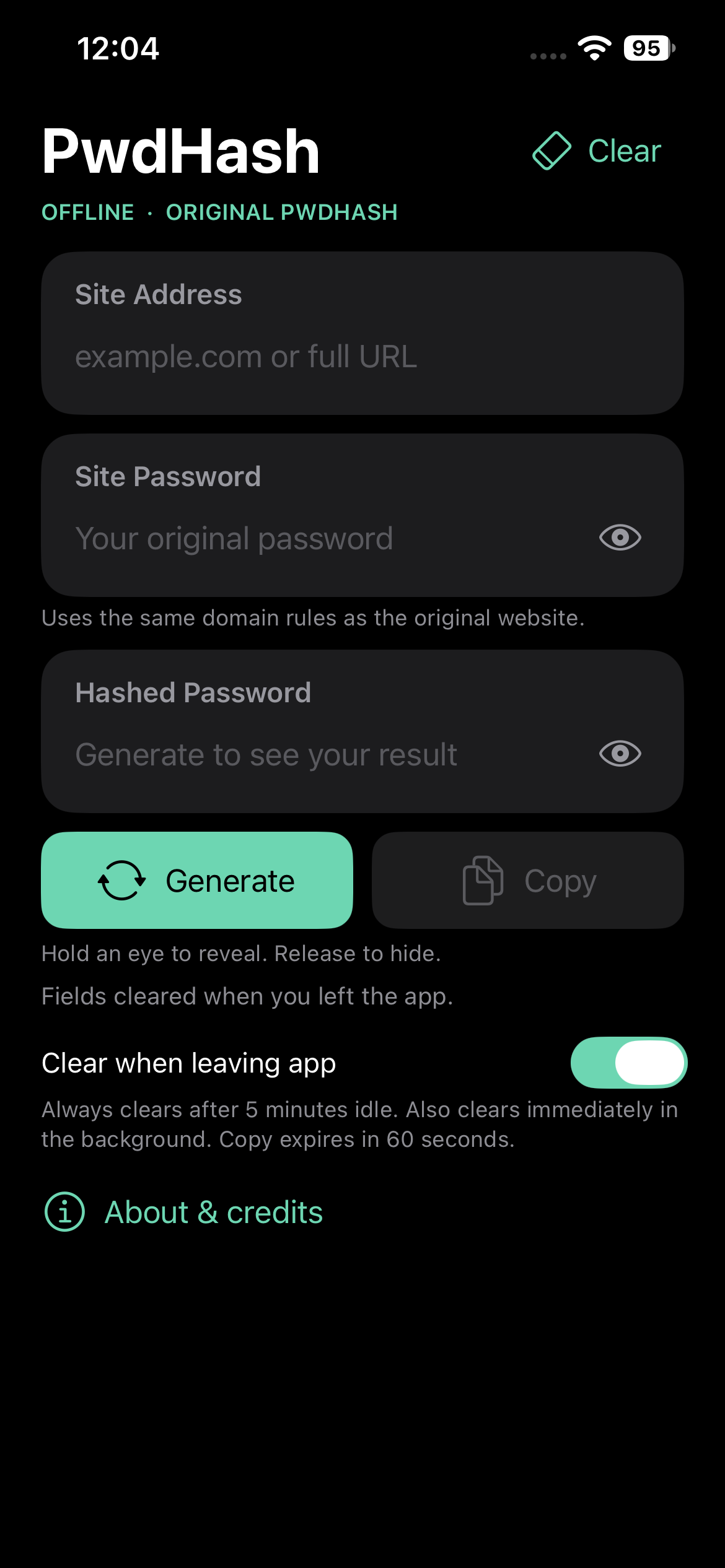
A native, offline app for the original PwdHash algorithm. Enter a site address and your original password, then generate and copy the result. The same inputs reproduce the original PwdHash results.
iOS 17 or later · No account required
How to use it
Enter
Add the website address and your original password in Site Address and Site Password.
Generate
Tap Generate to calculate the hashed password. Hold an eye button to reveal a password; release to hide it.
Copy
Tap Copy and paste into the website or app. Editing either input clears the old result until you generate again.
On your device
Offline calculation
Site addresses and passwords are processed on your iPhone. Password generation makes no network requests.
No saved password history
The app keeps only the current session in memory. It has no accounts, analytics, password database, or cloud sync.
Automatic clearing
Clear when leaving app starts on. Idle sessions expire after five minutes; expiry is checked before a returning session is shown or used.
Device-only copies
Copied passwords stay on the iPhone’s clipboard, without Universal Clipboard, and iOS removes the copied item after 60 seconds.
Common questions
Will it match the original PwdHash website?
Yes. The iOS app preserves the original algorithm and its historical domain-handling rules for compatibility with existing PwdHash passwords. Enter the same site address and original password to reproduce the same result. Inputs are not silently trimmed or normalized.
Why did the fields clear when I switched apps?
Clear when leaving app is on by default. Turn it off on the main screen if you need to reuse the inputs while switching apps. The five-minute idle limit still applies; when iOS suspends the app, expiry is enforced before the session is displayed or used on return.
Why is Copy disabled?
Generate a result first. Editing either the site address or site password clears the previous result and disables Copy until you tap Generate again.
How long does a copied password remain available?
iOS expires the app’s copied item after 60 seconds, including while PwdHash is suspended. Leaving the app clears its fields by default but leaves that intentional copy available to paste. Once you paste into another app, that app controls its own copy.
Support for PwdHash on iOS
For questions, feedback, or bug reports, contact Nenad Micic, the developer. Include your iPhone model, iOS version, PwdHash version, and steps to reproduce the issue using example inputs.
Please do not send real passwords or generated passwords.
About this app
PwdHash for iOS is developed by Nenad Micic under the NMIC name. It is a personal project, built independently of my employer.
Based on the original Stanford PwdHash project. Original contributors: Blake Ross, Collin Jackson, Nicholas Miyake, Dan Boneh, and John C. Mitchell. The original BSD license is included in the app’s About & credits section.