
For Android · Volunteer testers welcome
PwdHash
Original PwdHash.
Offline on Android.
Generate site-specific passwords on your phone with the original Stanford PwdHash algorithm. Enter a site address and your site password, then generate and copy the result. The same inputs reproduce the original PwdHash results.
Android 10 or later · No account required in the app
Volunteer Android testers wanted
Would you like to test PwdHash?
Have an Android phone and want to try PwdHash before its public release? You’re welcome to volunteer. Start by joining the Android tester group using the same Google account you use for Google Play.
- Join the Google Group. Join the PwdHash Android tester group using the Google account you use for Google Play. Posting in the group is optional.
- Opt in to the Google Play test. Open the opt-in page and join the closed test with that same Google account. Joining the group alone does not enrol you in the Google Play test.
- Install and try PwdHash. After opting in, install the test version from Google Play and share feedback from using it on your phone.
Complete the three steps in order using the same Google account throughout. If Google Play says the app is unavailable, check that you have joined the group and opted in with the account selected in Google Play. Get help joining.
Once you have access, try the app on your phone and let me know what works well or needs improving. Feedback on generating, revealing, copying, and clearing passwords is especially useful. Please use example inputs when reporting an issue; do not send real passwords.
This app needs at least 12 volunteers to stay enrolled in its closed test for 14 consecutive days before it can apply for public release on Google Play. Without enough volunteer testers, the Android version will not be published. If you take part, please stay enrolled for the full test and share feedback from actual use. Participation is voluntary. About Google Play’s testing requirements.
You can share feedback in the group or use the support contact. Read the tester privacy details before joining.
How to use it
Enter
Add the website address and your original password in Site Address and Site Password.
Generate
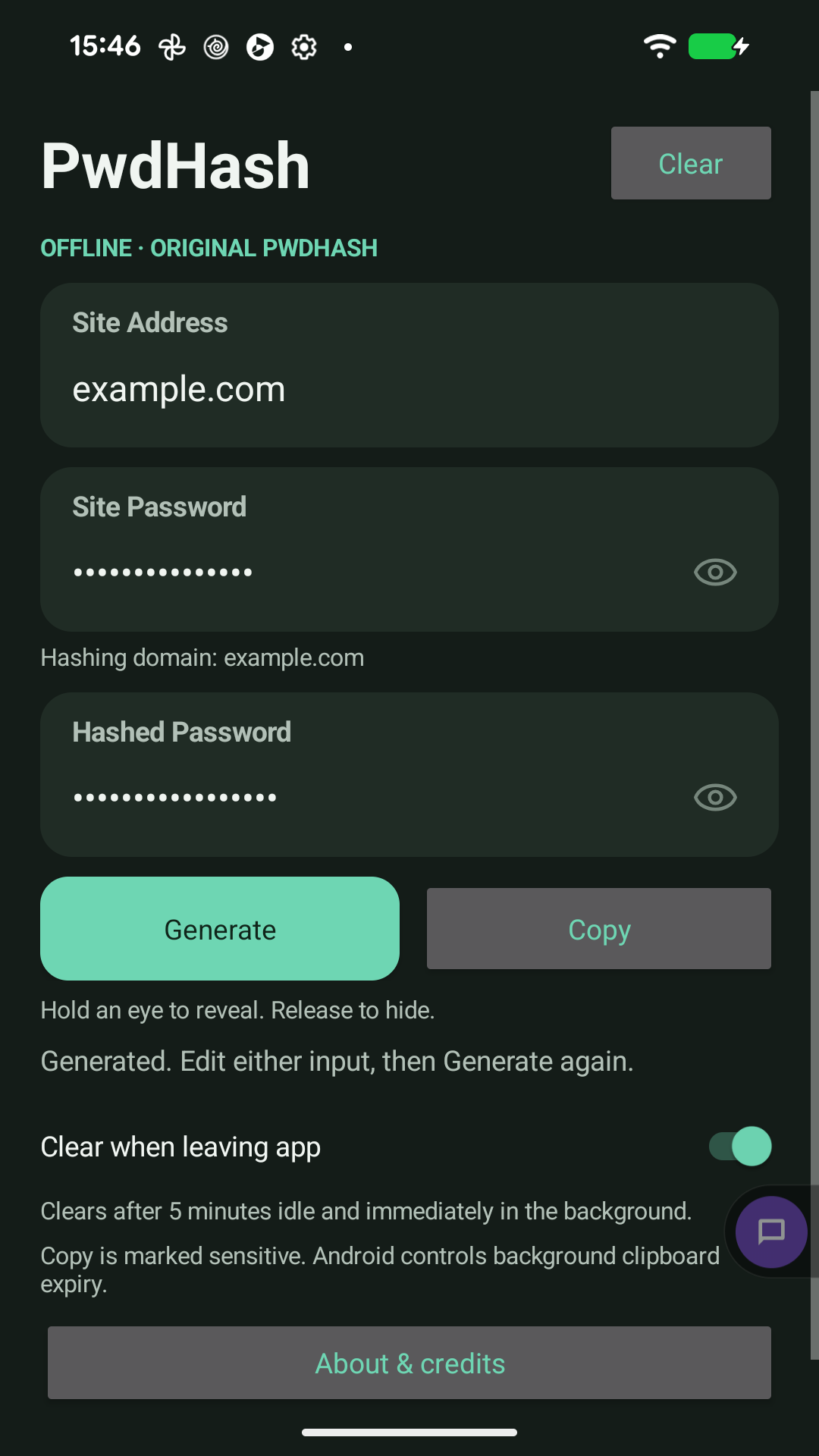
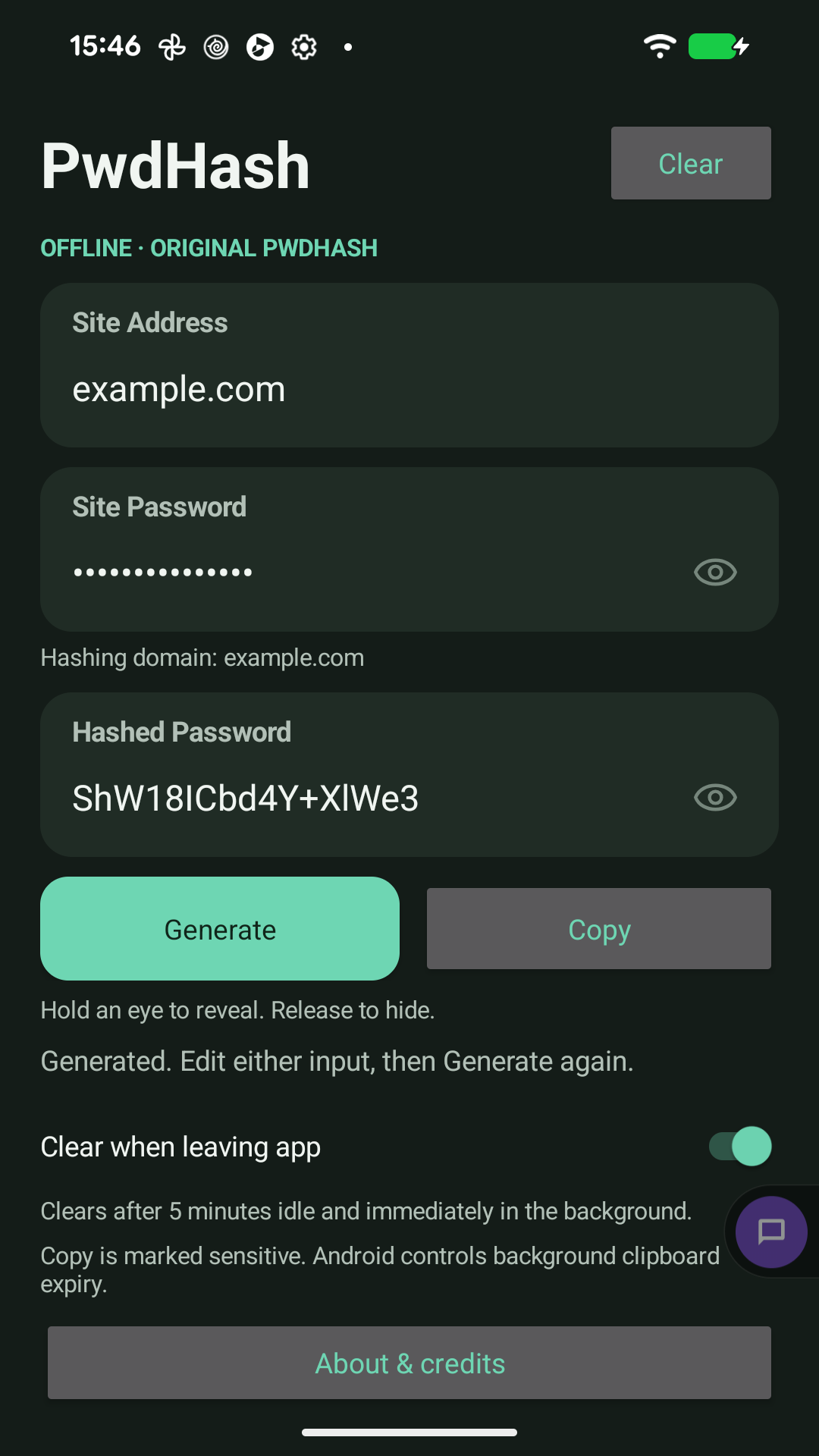
Tap Generate to calculate the result. Hold an eye button to reveal a password; release to hide it.
Copy
Tap Copy to use the generated password. Editing either input clears the old result until you generate again.
A closer look
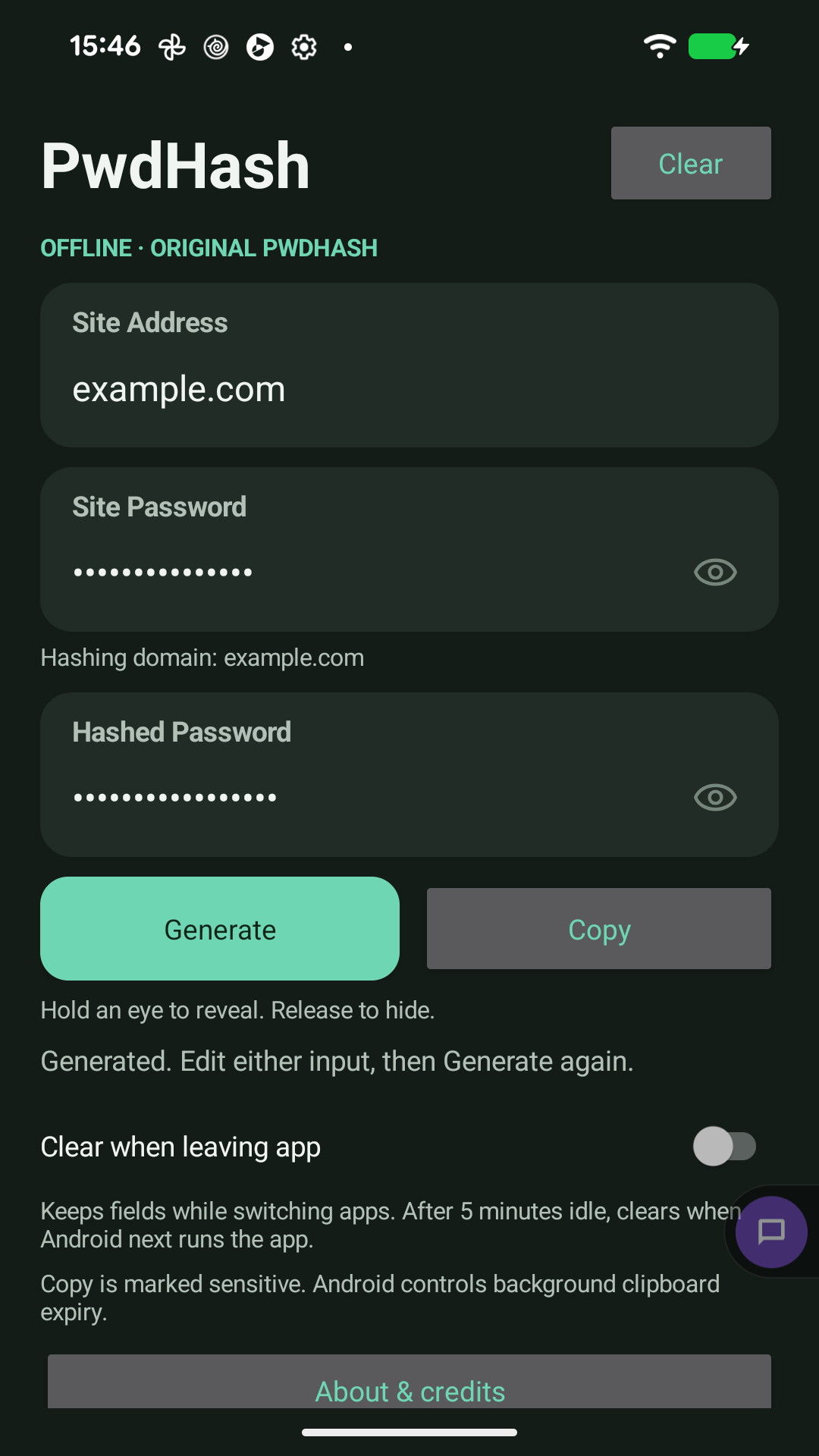
Real Android app captures using example inputs. The visible example hash is not a real account credential.
On your Android device
Offline calculation
Password generation works without an internet connection, including in Airplane Mode. The app does not request Android’s Internet permission.
No saved password history
The app keeps only the current session in memory. It does not save passwords, site history, or accounts. It does not include analytics or advertising SDKs.
Automatic session clearing
Clear when leaving app starts on. Five idle minutes expires the session; Android background suspension is handled by checking expiry before the session can be used again.
Android clipboard and screen privacy
Copies are marked sensitive. The app clears its expired copy after 60 seconds while active; Android controls background clipboard expiry. The app enables Android’s screenshot and screen-recording protection.
Common questions
How do I join the test group?
First join the PwdHash Android tester Google Group, then opt in to the Google Play test, and finally install PwdHash from Google Play. Use the same Google account for all three steps. You do not have to post in the group.
Will it match the original PwdHash website?
Yes. The native Android implementation preserves the original algorithm and historical domain rules. The same inputs reproduce the original result. Site addresses and passwords are not silently trimmed or normalised.
Why did the fields clear when I switched apps?
Clear when leaving app is enabled by default. Turn it off on the main screen to reuse inputs while switching apps. The five-minute idle limit still applies; after Android pauses the app, an expired session clears before it can be used again.
Will a copied password always disappear after 60 seconds?
The app clears its own expired copy after 60 seconds while it is active and has focus, and checks again when you return. Android restricts background clipboard access and controls its own automatic expiry. PwdHash cannot promise removal at exactly 60 seconds while in the background. A newer copy from another app is preserved.
Support for PwdHash on Android
For questions, feedback, or bug reports, contact Nenad Micic, the developer. Include your device model, Android version, PwdHash version, and steps to reproduce the issue using example inputs. Please do not send real passwords.
About this app
PwdHash for Android is developed by Nenad Micic under the NMIC name. It is a personal project, built independently of my employer.
Based on the original Stanford PwdHash project. Original contributors: Blake Ross, Collin Jackson, Nicholas Miyake, Dan Boneh, and John C. Mitchell. Credits and the original BSD license are included in About & credits. This independent app is not affiliated with or endorsed by Stanford University.